Migrate your Position
This page explains how to migrate positions that use USDC.e or any V1 market on Vesu.
Summary
USDC.e(legacy USDC) is replaced by nativeUSDC- V1 markets are deprecated
- No new deposits & borrowing
- You can still repay, withdraw, and close positions
Migrate to V2
You will see a Migrate button if your position is in a V1 pool (e.g. Genesis, Braavos Vault)
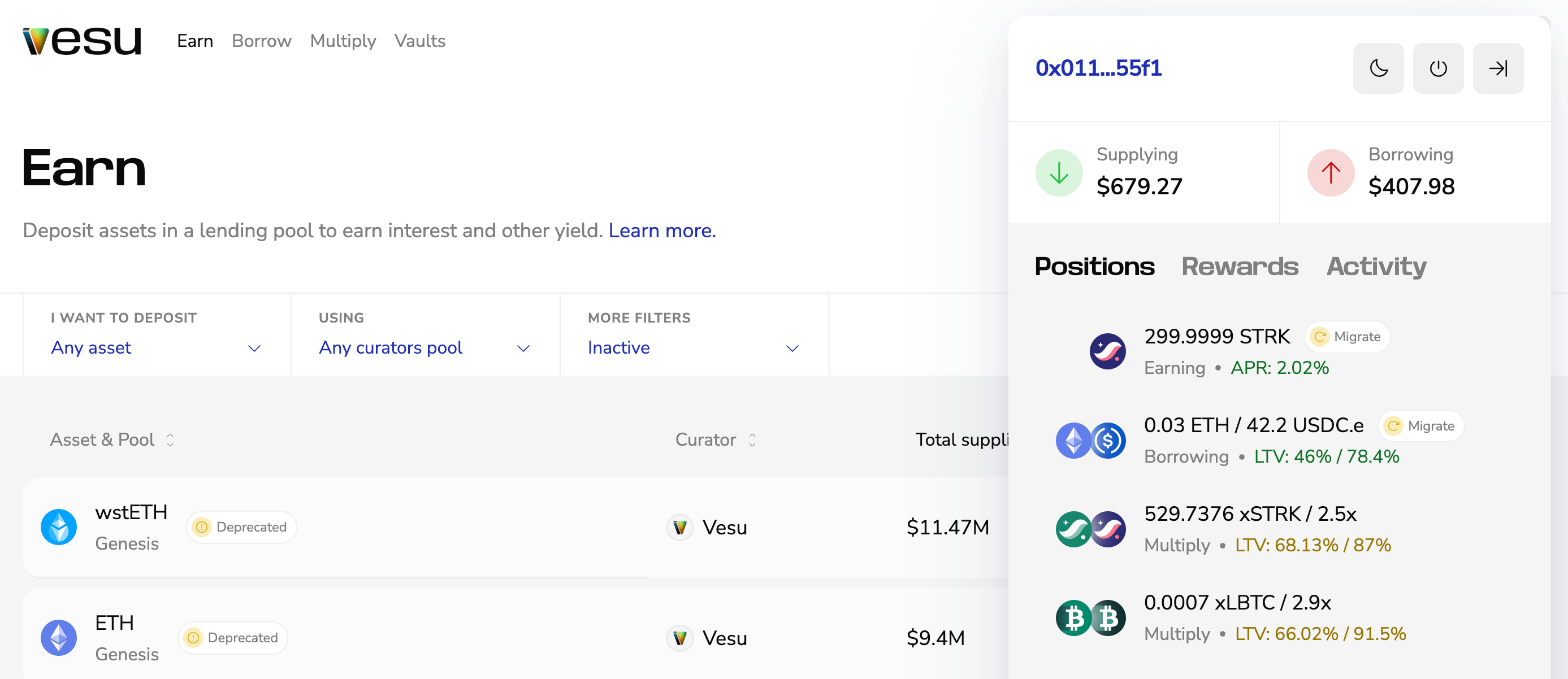
The migration tool makes the process simple:
- Click the position in the sidebar to open its market page.
- Click Migrate to open the migration dialog.
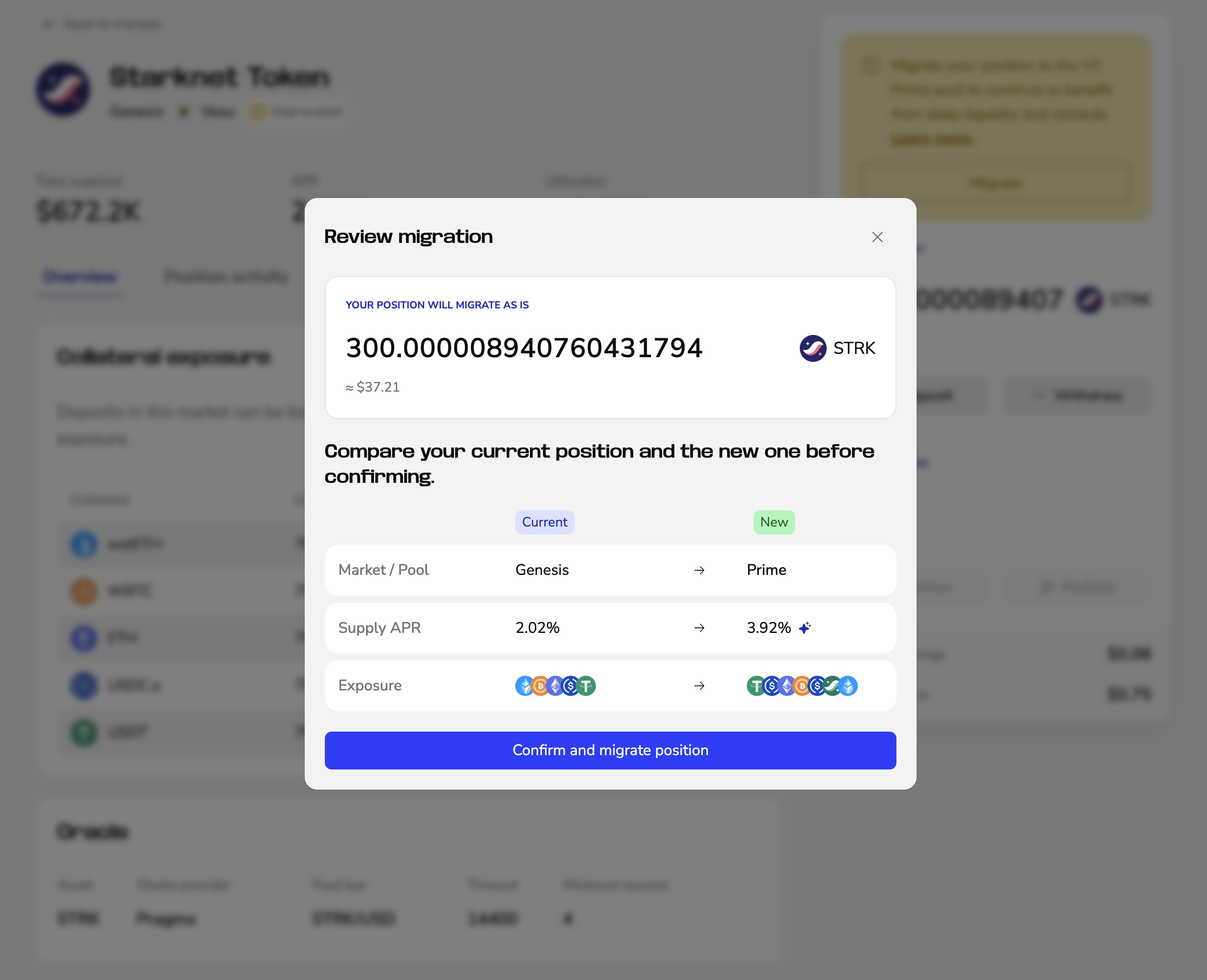 The dialog shows your current and new position side-by-side. Review the values and confirm the migration.
 - Approve the transaction in your wallet.
Your position is recreated in the new V2 market.
Migrate to native USDC
Affected positions show a Withdraw button.
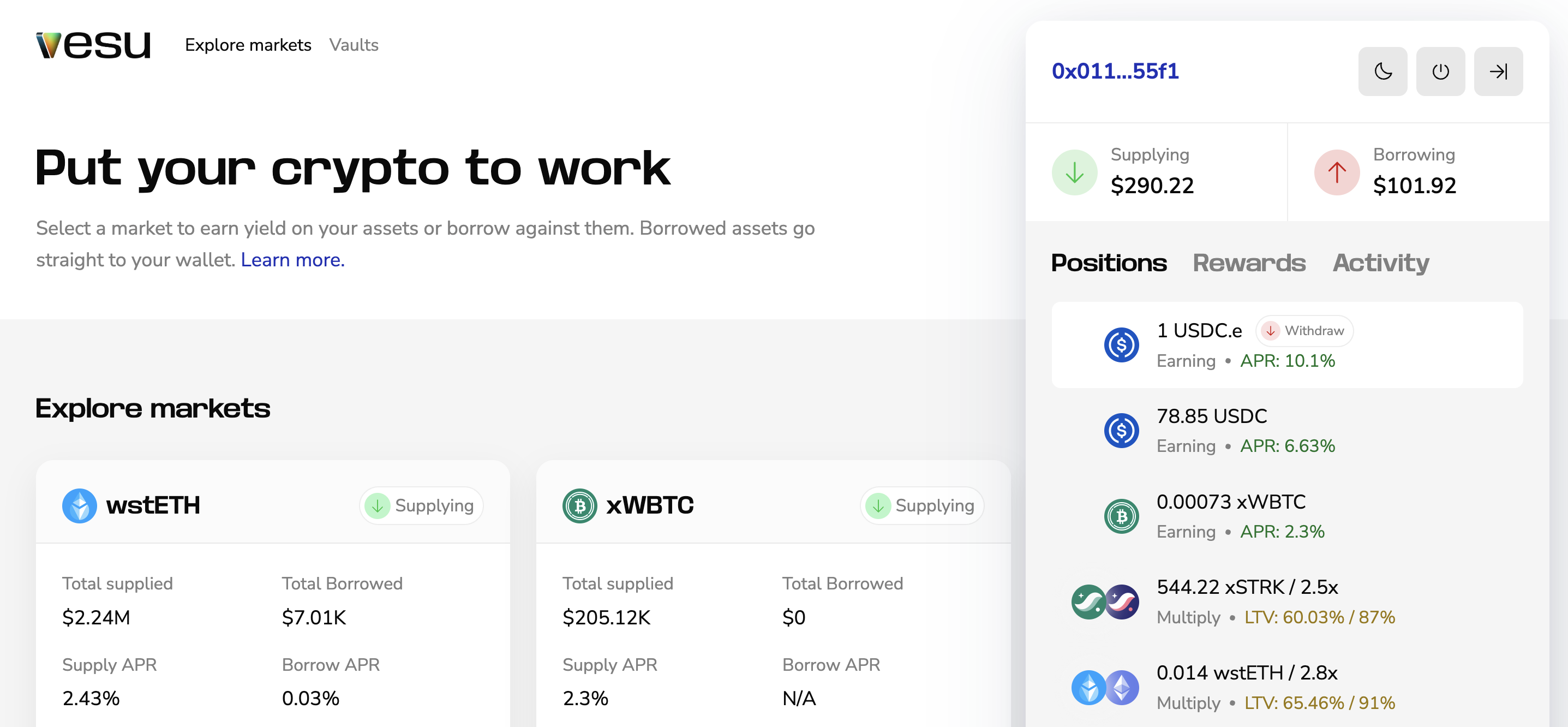
- Withdraw your
USDC.e - Swap
USDC.etoUSDCon Ekubo or Avnu when liquidity is available. Otherwise, bridgeUSDC.evia the official Starkgate bridge and convert it on another chain. - Deposit the native USDC to continue earning yield.
Need help?
If you have questions or encounter any issues, please open a ticket in Discord.